 QuestVoice
Frequently asked questions
Which voice is the most realistic?
Q: Which voice is the best fit? A: Realism is subjective. Our voices are based on licensed LibriTTS-R recordings. Each preset has a distinct character: Aria is a warm narrator, while Orion offers a deep documentary tone. You can test all eight voices via the /v1/voices endpoint or the /get-api-key/ dashboard to find the best fit for your NPC.
Can I mix voices for a single character?
The API generates one audio file per request using a single voice preset. To mix voices, you must send separate requests for each segment and join the resulting audio files. There is no built-in voice blending or cross-fading feature within a single generation call.
Are the voices gender-specific?
Yes, the eight presets are categorized as female (Aria, Nova, Luna, Sage) or male (Felix, Milo, Atlas, Orion). However, any voice can speak any of the 23 supported languages, allowing flexible casting for NPCs regardless of traditional gender associations in your game world.
Do voices sound different in MP3 vs WAV?
The audio content is identical across formats; only the container and compression differ. MP3 offers smaller file sizes for efficient network transfer, while WAV provides uncompressed quality. Choose based on your engine’s requirements. All formats are available via the response_format parameter.
Can I adjust the pitch of a voice?
No. You can adjust the speed parameter between 0.25 and 4.0, which changes playback rate. However, there is no dedicated pitch control or tone adjustment. The voice character remains fixed per preset, so select the preset that best matches the desired tone.
Which voice is best for old characters?
Orion provides a deep, documentary tone suitable for wise elders. Atlas offers a neutral, news-style delivery for authoritative figures. Sage provides a calm, instructional voice ideal for mentors. Test these presets with your dialogue text to ensure they match your character’s age and demeanor.
Which voice is best for young characters?
Nova offers a bright, upbeat tone perfect for energetic youth. Luna provides a soft, storytelling voice suitable for gentle characters. Aria is a clear narrator who can also suit younger roles. Use the speed parameter to adjust pacing, but note pitch remains fixed.
Do voices support accents?
Voices do not have fixed accents. They can speak any of the 23 supported languages. If you use Latin-script text without specifying a language, it defaults to English. To get a specific accent, write text in that language and set the language parameter accordingly.
Can I use voices for audiobooks?
Yes. The voices are based on licensed LibriTTS-R recordings from LibriVox public-domain audiobook readings. You can generate long texts by splitting them into 4096-character chunks and joining the audio files. Pricing is $0.01 per 1,000 characters, making it cost-effective for large projects.
Is there a voice for robots?
No specific robot voice exists. Atlas offers a neutral, news-style delivery that may suit mechanical characters. Orion provides a deep, documentary tone. You can adjust speed to create unusual rhythms. There is no emotion tagging or custom sound design for robotic effects.
How do I know which voice to pick?
Visit /get-api-key/ to see all eight presets with descriptions. Use the GET /v1/voices endpoint to list available options. Generate short samples with different voices using your API key. Compare Aria’s warmth against Orion’s depth to find the best match for your NPC’s personality.
Can I hear samples of all voices?
Yes. The /get-api-key/ page displays voice descriptions and allows you to generate samples. You can also use the GET /v1/voices endpoint to retrieve voice metadata. Generate audio for each preset to hear the distinct tones before committing to a specific voice for your game.
Overview of Available Voices

QuestVoice provides eight distinct AI voice presets designed specifically for game NPCs and ambient narration. These voices cover a wide tonal range, allowing you to create diverse characters without the overhead of enterprise contracts or custom voice design.
8 distinct voice presets
You have access to eight unique voice models: Aria, Luna, Nova, Sage, Felix, Milo, Atlas, and Orion. Each preset is engineered with a specific tonal quality, from warm narrators to deep documentary styles, ensuring your NPCs feel distinct and engaging.
4 female and 4 male options
The selection includes four female voices (Aria, Nova, Luna, Sage) and four male voices (Felix, Milo, Atlas, Orion). This balance allows for balanced party dynamics in RPGs or clear role differentiation in simulation games.
All voices support 23 languages
Every voice preset supports 23 languages, including English, Spanish, German, Japanese, and Chinese. You can assign any voice to any language, though setting the language field ensures accurate pronunciation for non-English texts.
Warm and Clear Narrators

Aria and Luna bring warmth to your game's narrative backbone. Aria’s clear, steady delivery anchors complex lore without fatigue, while Luna’s soft tone invites players into deeper storytelling moments.
Aria: Warm, clear narrator style
Aria excels at delivering exposition with clarity and warmth. Her voice remains steady even during long passages, making her ideal for quest guides that require players to retain important details.
Luna: Soft, storytelling tone
Luna offers a gentle, immersive quality perfect for lore dumps or atmospheric narration. Her soft delivery helps maintain emotional engagement without overwhelming the player with intensity.
Ideal for quest guides and lore
Use Aria for straightforward instructions where clarity is paramount. Choose Luna for background stories or environmental narration that benefits from a more intimate, soothing presence. Both voices support all 23 languages, ensuring consistent tone across global releases.
- Aria: Best for clear, direct lore delivery
- Luna: Ideal for atmospheric lore and background stories
- Both support 23 languages for global immersion
- Use Luna for emotional or reflective narrative moments

Bright and Upbeat Characters

QuestVoice offers two distinct presets for bright and upbeat characters, designed to inject energy into your game world. Nova provides a bright, upbeat energy perfect for lighthearted interactions, while Felix delivers an energetic, promo-style delivery ideal for dynamic announcements.
Nova: Bright, upbeat energy
Nova is a female preset with a clear, warm tone that feels inviting and positive. She is ideal for cheerful side quests or friendly NPCs that guide players through the early stages of their adventure. Her voice remains consistent across all 23 supported languages, ensuring a uniform experience for global players.
- Female voice preset
- Warm and clear tone
- Ideal for cheerful side quests
- Supports 23 languages
Felix: Energetic, promo style
Felix is a male preset characterized by an energetic, promo-style delivery. He works well for NPCs that need to grab attention quickly, such as quest givers or shopkeepers. His voice adds a layer of professionalism and excitement to standard dialogue lines.
- Male voice preset
- Energetic, promo style
- Great for cheerful side quests
- Supports 23 languages
Great for cheerful side quests
Use Nova and Felix to break the monotony of main storylines. Their upbeat nature keeps players engaged during repetitive tasks or exploration. Adjust the speed parameter between 0.25 and 4.0 to match the pacing of your game scenes.
- Breaks monotony in gameplay
- Keeps players engaged
- Adjustable speed from 0.25 to 4.0
- Perfect for lighthearted interactions
Calm and Instructional Voices

When guiding players through complex mechanics, clarity is paramount. Sage and Milo offer reliable, easy-to-understand voices that reduce cognitive load without sounding robotic or overly dramatic. These presets prioritize intelligibility, ensuring instructions are received correctly the first time.
Sage provides a steady, instructional rhythm ideal for step-by-step tutorials, while Milo adds a conversational warmth that makes hints feel like friendly advice rather than rigid commands. Both voices handle varied text lengths well, maintaining consistency across long dialogue trees.
Sage: Calm, instructional tone
Sage delivers clear, measured speech that cuts through background noise effectively. Its calm demeanor helps players focus on critical information without feeling rushed or overwhelmed by excessive energy.
Milo: Friendly, conversational
Milo sounds like a helpful companion rather than a system announcer. This natural flow encourages players to engage with optional hints and lore snippets they might otherwise skip.
Perfect for tutorials and hints
Use Sage for strict mechanical instructions where precision matters. Switch to Milo for contextual tips or encouragement to keep the tone light and supportive during gameplay.
- Ideal for UI voiceovers
- Best for hint systems
- Supports 23 languages
- No SSML support
Neutral and News-Style Tones

When your game requires authority or gravitas, neutral and deep tones provide the perfect backdrop. These presets avoid emotional distraction, letting the narrative weight carry the scene without the voice feeling overly theatrical or casual.
Whether delivering critical mission updates or historical exposition, these voices ensure clarity and professionalism. They integrate seamlessly into serious game contexts where the player needs to trust the information being presented.
Atlas: Neutral, news delivery
Atlas offers a balanced, neutral tone ideal for news-style announcements or objective storytelling. Its clarity ensures that critical gameplay information is understood immediately without emotional bias.
- Clear, balanced delivery
- Ideal for objective narration
- Works well for system messages
Orion: Deep, documentary style
Orion brings a deep, resonant quality reminiscent of documentary narration. This voice adds weight and seriousness to lore dumps or historical records, making the game world feel lived-in and authentic.
- Deep, resonant tone
- Best for lore and history
- Adds gravitas to scenes
Suitable for serious or official NPCs
Use Atlas and Orion for characters who hold authority, such as generals, historians, or AI systems. Their steady delivery prevents emotional clutter, keeping the focus on the narrative's serious tone.
Comparing Voice Personalities

Choosing the right voice personality ensures your NPCs feel distinct and memorable. By comparing contrasting pairs, you can balance narrative depth with energetic delivery or adjust conversational warmth against instructional clarity. This section helps you select tones that align with specific character roles without overcomplicating your audio pipeline.
Use these comparisons to mix voices within a single scene. Pairing a warm narrator with a neutral observer creates natural hierarchy, while contrasting energy levels keeps dialogue engaging during repetitive quests or tutorials.
Aria vs. Luna for narrative depth
Aria offers a warm, clear narrator style ideal for delivering lore directly to the player. Luna provides a soft, storytelling tone that feels more intimate and immersive. Use Aria for objective exposition and Luna for emotional backstory or dream sequences.
- Aria: Best for clear, direct lore delivery.
- Luna: Ideal for emotional, soft storytelling moments.
Nova vs. Felix for energy levels
Nova brings bright, upbeat energy perfect for cheerful side quests or celebratory events. Felix offers an energetic, promo-style delivery suitable for dynamic announcements or high-stakes action scenes. Nova feels friendlier and more approachable, while Felix feels more urgent and promotional.
- Nova: Great for lighthearted, upbeat interactions.
- Felix: Ideal for high-energy, promo-style dialogue.
Milo vs. Sage for conversation style
Milo provides a friendly, conversational tone that makes tutorials feel like a chat with a companion. Sage delivers a calm, instructional voice better suited for structured hints or guidebooks. Use Milo for casual hints and Sage for precise, step-by-step instructions.
- Milo: Perfect for friendly, conversational hints.
- Sage: Ideal for calm, instructional guidance.
Choosing Voices for Different Genres

Matching voice personality to your game’s genre ensures immediate immersion. By aligning vocal traits with narrative expectations, you reduce cognitive dissonance for players and strengthen the world’s internal logic without needing complex engineering.
Fantasy games need warm tones
Ancient lore and quest guides benefit from Aria’s warm, clear narration or Luna’s soft storytelling. These presets convey wisdom and history, making tavern bards or dungeon narrators feel authentic.
Sci-fi benefits from neutral voices
Neutral delivery suits space stations or corporate drones. Atlas provides a clean, news-style tone for ship logs, while Orion offers a deep, documentary style for serious sci-fi narratives.
Comedy works with upbeat presets
Cheerful side quests and witty merchants thrive on Nova’s bright energy or Felix’s promotional drive. Their upbeat pacing keeps comedic timing sharp and engaging for casual RPG players.

Technical Considerations for Audio

Audio format selection directly impacts your game’s performance and player experience. Choosing the right container ensures efficient storage and playback without sacrificing quality.
MP3 format for small file sizes
MP3 files are ideal for storing large volumes of NPC dialogue. Their compressed nature keeps your game’s installation size manageable, which is critical for indie titles with limited storage budgets.
WAV for high-quality editing
Use WAV when you need uncompressed, lossless audio for post-production. This format preserves maximum fidelity, allowing for precise edits, mixing, and sound design adjustments in your engine’s audio pipeline.
OPUS for bandwidth-efficient compression
OPUS offers superior compression efficiency for network delivery. It is best suited for streaming dialogue over the internet, balancing low bandwidth usage with clear audio quality for online multiplayer contexts.
Licensing and Usage Rights

QuestVoice utilizes audio samples licensed from LibriTTS-R under the CC BY 4.0 license. These samples originate from LibriVox public-domain audiobook readings, providing a solid foundation for our eight distinct voice presets. This licensing structure ensures that our engine’s core voice characteristics are legally clear for integration into your game projects.
Licenses from LibriTTS-R
Our voices are based on licensed recordings from the LibriTTS-R dataset, derived from LibriVox public-domain audiobook readings. This means the underlying voice characteristics are built on openly accessible, high-quality source material. You do not need to manage separate licensing for the voice models themselves when integrating them into your game.
- Based on LibriTTS-R dataset
- Source: LibriVox public-domain readings
- CC BY 4.0 licensing structure
Inaudible watermark on audio
Every generated audio file carries an inaudible watermark that marks it as synthetic speech. This metadata helps identify the content as AI-generated without affecting the audio quality or listener experience. It serves as a simple verification tool for your production pipeline or for distinguishing AI dialogue from recorded voice actors.
No restrictions on commercial use
There are no restrictions on commercial use for the generated audio. You can freely use the NPC dialogue and ambient narration in your games, whether indie or studio-published. The generated audio is not stored by us, and input text is not used for training, ensuring your creative assets remain yours.
- Free commercial use
- No storage of generated audio
- Input text not used for training
Popular Voice Combinations

Pairing distinct voice profiles creates memorable character dynamics without complex scripting. By assigning complementary presets to different NPC roles, you establish clear social hierarchies and emotional tones within your game world.
Aria and Atlas for contrast
Combine Aria’s warm, clear narration with Atlas’s neutral, news-style delivery to highlight the difference between personal lore and factual exposition. This contrast helps players distinguish between emotional story beats and objective world-building details.
Nova and Milo for lively scenes
Nova’s bright, upbeat energy pairs well with Milo’s friendly, conversational tone to create dynamic interactions. Use Nova for energetic side quests and Milo for casual dialogue, ensuring a consistent yet engaging conversational rhythm.
Orion and Sage for serious plots
Orion’s deep, documentary style complements Sage’s calm, instructional voice for serious narrative arcs. This combination works effectively for authoritative figures or historical records, providing a grounded and immersive auditory experience for intense game moments.
Testing Voices in Your Game

Testing voice presets directly in your game engine ensures they match the intended character personality and audio mix. Start by generating short test clips using the API to verify tone and clarity before committing to larger dialogue sets.
Listen to these clips within the actual game environment, accounting for background music and sound effects. This helps you identify any clashes or volume issues that might distract players during critical gameplay moments.
Adjust the speed parameter (0.25–4.0) to fine-tune the delivery. Slower speeds can add emphasis to key narrative points, while faster rates may suit rapid-fire dialogue or excited states.
Generate short test clips
Use the API to create concise audio samples (under 4096 characters) for each voice preset. This allows you to quickly evaluate how well each voice fits your NPC’s role without generating full dialogue sets.
Focus on creating diverse test cases that highlight the voice’s range, such as emotional shifts or different sentence structures, to ensure versatility.
- Use 100-200 character phrases for quick iteration.
- Test different emotional tones within a single preset.
- Keep clips under 4096 characters to stay within single request limits.
Listen in game audio context
Play the test clips through your game’s audio system, including any reverb or filters applied to in-game voice lines. This provides a realistic preview of how the voice will sound to players.
Consider the environment’s acoustics; a voice that sounds clear in isolation might become muddy when layered with ambient noise.
- Test with background music and SFX active.
- Check audio levels against other game sounds.
- Verify compatibility with your engine’s audio pipeline.
Adjust speed for natural flow
Experiment with the speed parameter to match the character’s personality. A slower pace might suit a wise elder, while a faster rate could fit a nervous merchant.
Ensure the speed adjustment maintains intelligibility and doesn’t distort the voice’s natural cadence, especially for non-native speakers in your target languages.
- Start with a speed of 1.0 for baseline testing.
- Increase speed for energetic or anxious characters.
- Decrease speed for deliberate or mysterious tones.
Common Mistakes in Voice Selection

Choosing the right voice for your NPC is about more than just tone; it’s about consistency. A mismatched voice can break immersion instantly, making a serious villain sound like a cartoon character or a wise mentor sound like a teenager. This section highlights common pitfalls that can undermine your game’s audio design before you even commit to production.
By avoiding these common errors, you ensure your dialogue supports the narrative rather than distracting from it. Pay attention to how voices interact with your art style and language settings to maintain a cohesive experience.
Picking voices that clash with art
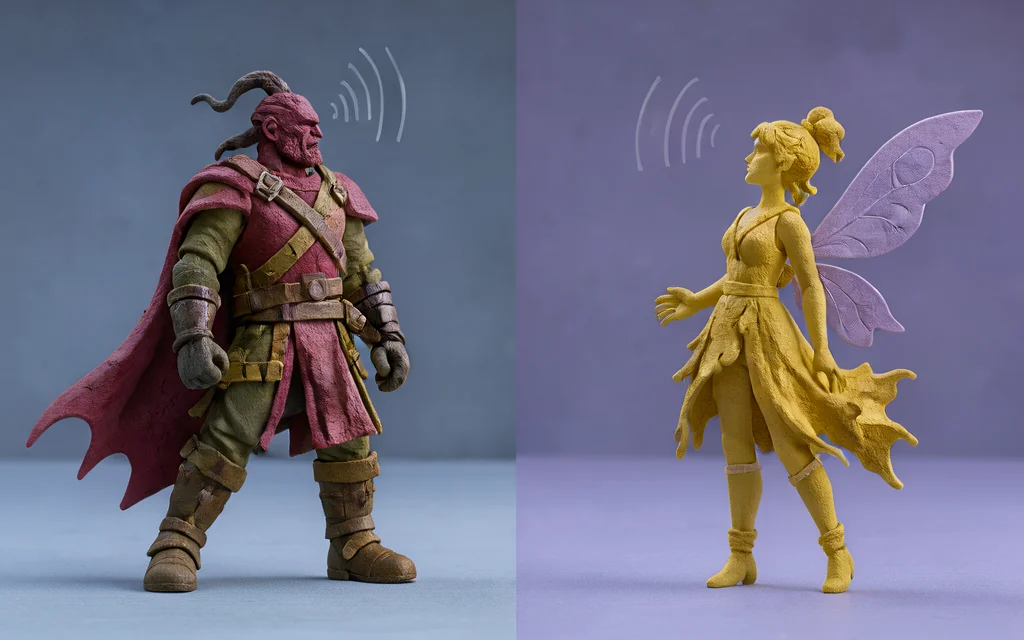
Visual style and vocal tone should align. A gritty, realistic character might sound out of place with the bright, upbeat Nova voice, while a whimsical fairy might feel too heavy with Orion’s deep documentary tone.
Consider the emotional weight your art conveys. If your visuals are soft and pastel, a harsh or overly neutral voice like Atlas might create unintended dissonance with the intended mood.
- Match voice warmth to character design
- Align tone with visual art style
- Test voice in context with sprites
Ignoring language detection issues
The API guesses language from script, defaulting to English for Latin text. If your character speaks French but you use Latin characters without setting the language field, it may sound like English with a French accent.
Explicitly set the language parameter for non-English Latin script to ensure accurate pronunciation and natural intonation.
This is crucial for games with multiple languages to avoid awkward, hybrid-sounding dialogue.
- Set
languagefor Latin-script non-English - Avoid default English guess errors
- Test pronunciation in target language
Overusing the same voice type
Using the same voice for every NPC can make your world feel empty and repetitive. Even distinct characters should have unique vocal identities to aid player recognition.
Mix and match presets like Aria, Luna, and Sage to create variety. This helps players distinguish between different factions, roles, or personality types without relying solely on visual cues.
Diversity in voice selection enhances immersion and makes your game world feel more alive and populated.
- Assign unique voices to key NPCs
- Mix presets for faction distinction
- Avoid voice monotony in large casts
Future-Proofing Your Audio Strategy
Building a scalable audio pipeline means relying on the stable, standard formats your API provides. By sticking to MP3, WAV, OPUS, or FLAC, you ensure compatibility across modern game engines and platforms without needing custom codecs.
Stick to standard API formats
Using standard formats like MP3 for small file sizes or WAV for high-quality editing keeps your asset pipeline simple. This approach avoids vendor lock-in and ensures your audio files remain usable even if you switch engine versions or middleware.
- MP3 for efficient storage and fast loading
- WAV for lossless editing and post-production
- OPUS for bandwidth-efficient streaming in real-time scenes
Document voice assignments
Keep a clear mapping between each NPC or narrative role and its assigned voice preset. This prevents confusion when scaling content and makes it easier for new developers to understand why a specific voice was chosen for a character.
Monitor API updates for new voices
While current presets cover most genres, staying informed about API changes allows you to adapt quickly. Regularly check the /v1/voices endpoint to see if new voice options or language improvements become available, ensuring your audio strategy remains fresh and relevant.
Listen to the 8 voices
Each sample below was generated by this API from the same sentence. Craft immersive game worlds where NPCs feel truly alive and responsive to player choices.


23 languages
Any voice speaks any of these languages.
Sources and further reading
- Wikipedia
- Python documentation
- LibriTTS-R corpus (OpenSLR 141)
- W3C WAI: making audio and video accessible
- curl documentation
- LibriVox public-domain audiobooks
- openai-node on GitHub
- Creative Commons Attribution 4.0
- openai-python on GitHub
- LibriTTS-R paper (arXiv 2305.18802)
- MDN: Web Speech API
- IETF RFC 7845: Ogg Opus